

In the fast-changing world of Software as a Service (SaaS), focusing on SaaS UX is key. It’s important for making designs that grow with the market. User-friendly interfaces are more important than ever as the market expands.
Good SaaS design is not just about looks. It must make interactions easy and experiences smooth. We aim to blend new ideas with design that puts users first. This way, we make technology easier for everyone in the SaaS world.
Key Takeaways
- SaaS UX plays a key role in keeping users happy and coming back.
- Easy-to-use interfaces are key to good SaaS design.
- Designs that grow with the app are vital for its success.
- User feedback helps make experiences better over time.
- New methods help people understand complex tech better.
- Making sure all users can use SaaS apps is important.
Understanding SaaS UX Fundamentals
Creating a great user experience in SaaS apps starts with understanding the basics. It’s about knowing what users need. This knowledge is key to designing a good user experience.
Designing for users means focusing on how they interact with the app. Good UX makes it easy to use and navigate. Getting feedback from users is also important. Surveys, interviews, and testing help us make better design choices.
Empathy is at the heart of designing for users. By seeing things from their point of view, we can create experiences they love. Staying up-to-date with UX research helps us keep our designs current and effective.

The Importance of User-Centered Design in SaaS
User-centered design is key in making SaaS apps. It focuses on what users need and want. This makes sure the app meets their expectations.
By listening to user feedback, apps can get better. Companies like Slack and Trello have grown by listening to their users. This has made their apps more engaging.
Studies show that apps that focus on users do well. They keep users happy and retain them. This makes the app more user-friendly and efficient.
Knowing what users want is vital for success. User-centered design helps businesses innovate and offer great value.

SaaS UX: Principles for Effective Interface Design
Creating a good interface design needs careful thought. It’s all about being consistent and using a clear visual order. This makes sure users find the experience smooth and easy, leading to happy SaaS users.
Consistency Across All Touchpoints
Keeping UX consistent is key for a strong brand feel. Users see many things like buttons and colors as they go along. When these match up well, users feel at home.
This unity builds trust. It makes users want to come back and tell others about it.
Leveraging Visual Hierarchy
Visual hierarchy is super important for guiding users. Using size, contrast, and space smartly makes things clearer. Big headings show main actions, while small text is for extra info.
This clear layout helps users stay focused. It lets them do what they need to do fast. A good visual hierarchy makes the interface easy to use and helps users reach their goals quickly.

| Principle | Description | Benefit |
|---|---|---|
| Consistency in UX | Aligning design elements across all touchpoints | Builds trust and improves user comfort |
| Visual Hierarchy | Organizing elements by size, color, and space | Enhances usability and guides user actions |
Creating Intuitive Dashboards for Users
Designing intuitive dashboards is key for SaaS apps. These dashboards are where users see data and make decisions. We focus on making them easy to use and clear.
User feedback is vital. It shows us what users like and need.
Best Practices for Dashboard Layouts
When making SaaS dashboards, put users first. Make sure info is easy to understand. Here are some tips:
- Clarity of Information: Use simple words and clear visuals.
- Consistency: Keep the design the same everywhere.
- Interactive Elements: Add interactive graphs and charts.
Incorporating User Feedback
Getting user feedback is key to better dashboards. Ask users often to know what they need. Here’s how to use their feedback:
- User Surveys: Do surveys to learn about usability and features.
- Focus Groups: Talk to users to learn about their experiences.
- A/B Testing: Try different versions and see what users like.
By following these tips, we make dashboards that improve user experience. Listening to user feedback helps us meet their needs. This changes how users interact with important data.
Designing for Scalability in SaaS Applications
In the world of SaaS, scalability in SaaS is key to success. Making apps scalable lets businesses grow easily. They can meet changing user needs without losing performance or quality.
Creating apps that grow with you is essential. Using modular design and cloud hosting helps keep apps strong. This way, apps stay flexible and stable, even as tech changes fast.
Planning for growth means using smart strategies. Here are a few:
- Microservices for easy updates and scaling of parts.
- Load balancers to spread user traffic evenly.
- CDNs to boost performance and cut down on delays.
This approach helps SaaS growth and makes users happy. It’s good for developers and users.

Responsive Design: Adapting to Different Devices
In today’s world, people use many devices to access SaaS apps. Responsive design is key to meeting this need. We focus on mobile first, making sure apps work well on small screens first. This makes apps easy to use on phones and prepares them for bigger screens.
Mobile-First Approach in SaaS UX
Starting with mobile ensures key features are easy to find right away. This makes apps more fun to use, leading to happier users. Our apps adjust to any screen size, giving users a smooth experience.
Testing Across Platforms
Testing on many devices is vital to check our design works well. We check how apps perform on phones, tablets, and computers. This helps fix problems and makes sure users have a great experience, no matter how they use it.

Integrating Data Visualization in SaaS Interfaces
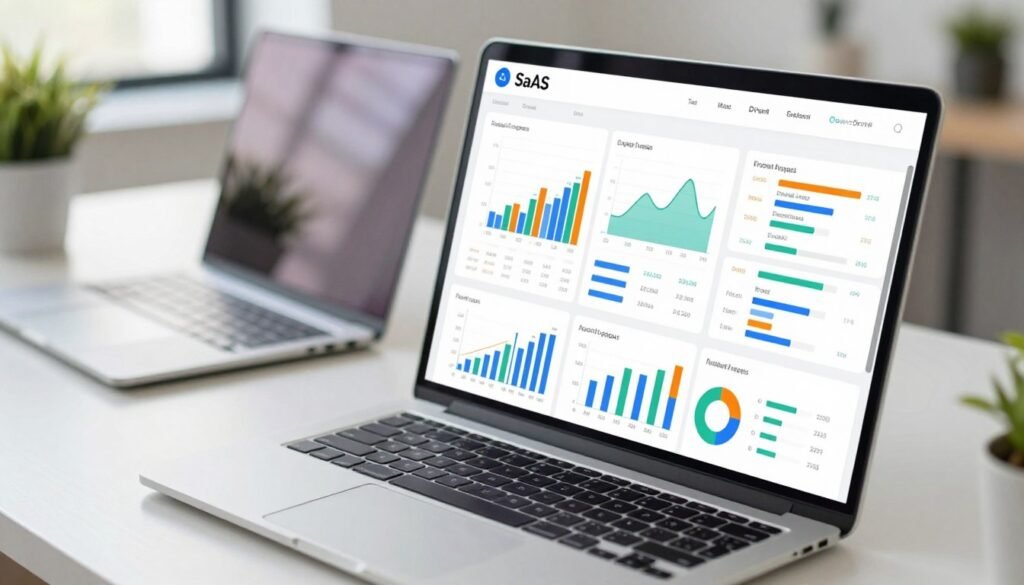
Data visualization is key to making SaaS interfaces easy to use. It turns complex data into clear, eye-catching graphics. This helps users quickly understand information and make smart choices.
Using tools like D3.js or Chart.js makes data come alive. These tools help us create interactive graphs and dashboards. They make data easier to understand and share.
Companies like Tableau and Power BI show how good data visualization works. They make data easy to follow and understand. This turns data into a valuable tool for making decisions.
Enhancing User Experience Through Effective Navigation
Navigation is key in digital experiences. Good menu design makes it easy to find what you need. This can make or break how users feel about an app.
A clear navigation system boosts UX design. It also makes users more confident in using the app.
Menu Design Strategies
Creating a user-friendly menu takes careful thought. Here are some tips to improve your menu design:
- Simplicity: Keep menu items simple to avoid confusion.
- Consistency: Make sure labels and positions are the same everywhere.
- Intuitiveness: Use terms and categories that your audience will understand.
- Accessibility: Add features that help all users, including those with disabilities.
Reducing User Friction
It’s important to make interfaces easy to use. Streamlining tasks helps reduce clicks and steps. Here are some ways to do this:
- Multi-tasking options: Let users do related tasks without going back and forth.
- Progress indicators: Use visual signs to show where users are in a process.
- Contextual help: Offer help when users are unsure.
Using these strategies leads to better navigation. This makes users more empowered and happy with the app.

| Strategy | Benefit |
|---|---|
| Simplicity in Menu | Prevents overwhelming users |
| Consistency | Builds familiarity and trust |
| Intuitive Labels | Enhances understandability |
| Accessibility Features | Expands user base |
| Reduction of Clicks | Increases efficiency |
Accessibility in SaaS UX: Reaching All Users
Accessibility in UX design is key. It makes sure everyone, including those with disabilities, can use products easily. By focusing on accessibility, we follow the Web Content Accessibility Guidelines (WCAG guidelines). These rules help us make designs that work for everyone.
Understanding WCAG Guidelines
The WCAG guidelines tell us how to make websites more accessible. They cover four main areas: Perceivable, Operable, Understandable, and Robust. Following these helps assistive technologies work better, making things easier for users with disabilities.
Implementing Accessible Design Practices
To make UX more accessible, we use several strategies. We choose clear colors and easy-to-read fonts for better visuals. Adding text for images helps screen reader users understand better. Testing with real users, including those with disabilities, helps us improve our designs.

Utilizing User Testing for Continuous Improvement
User testing is key to making SaaS design better. It lets us see what real users think and find problems. A/B testing and usability testing help us get feedback straight from users.
Doing user testing often helps us keep improving UX. Each test gives us new ideas to make our design better. Surveys add more details, helping us understand users better.
By testing users often, we make our design better over time. We focus on making users happy and meeting their needs. This makes our SaaS product better and more user-friendly. Think about using these methods for your design too.
Feedback Loops: Iterating on User Experience
In SaaS, feedback loops are key in the design process. They help users and designers talk and share insights. This makes the user experience better.
We can use surveys, usability tests, and interviews to get feedback. Each method gives us different views on what users need. This helps us make designs that users like and use more.
Using iterative design means our apps grow with what users want. This way, we make features that work well and are easy to use. Good feedback loops help us work together, making our products better.
| Feedback Method | Purpose | Benefits |
|---|---|---|
| Surveys | Assess user satisfaction and needs | Quantitative data for analysis |
| Usability Tests | Observe user interactions | Identify pain points and areas for improvement |
| User Interviews | Gain in-depth insights | Understand user motivations and experiences |
Collaboration Between Designers and Developers
Working together is key for better user experiences in SaaS apps. Designers and developers bring their skills together. This creates a space for creativity and action.
Teams that work together well are important. They help break down barriers that stop new ideas.
Using tools like Figma and Slack helps teams talk better. They share ideas and feedback easily. This makes sure everyone’s voice is heard.
Regular meetings keep teams on the same page. They talk about goals and how things are going. This makes sure everyone is working towards the same thing.
When designers and developers work together, the product gets better. Their teamwork makes the final product much better.
Conclusion
As we finish our look at SaaS UX, it’s important to think about the key points we’ve covered. We’ve seen how focusing on the user is key to better engagement. This approach makes sure our interfaces are not just good but great.
We’ve talked about how design should work well on different platforms. This way, we can serve more users without losing quality. Making sure everyone can use our products is also vital. Working together with designers and developers helps us create something truly special.
In short, our goal is to make experiences that users love. We’re eager to keep using these ideas to make the SaaS world better. By working together, we can solve big problems and make a real difference.