AI Video Pre-Production: Turning Marketing Concepts Into Production- Ready Storyboards
A practical framework for using AI to transform a raw campaign brief into a fully annotated, production-ready storyboard — complete with shot intent, on-screen copy, and channel-specific cut-down plans — before a single frame is filmed.
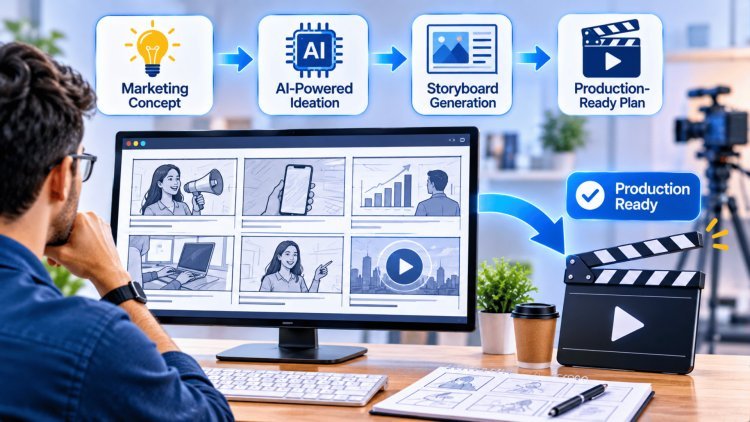
What an AI Marketing Storyboard Must Do (Not Just Look Good)
A storyboard isn't a mood board or a style exercise — it's a conversion plan rendered in frames. Every panel must justify its existence by advancing the viewer toward a single, specific action.
Turn a Brief Into a Frame-by-Frame Conversion Plan
Every frame in a production-ready storyboard must carry three pieces of information: the shot description (what the camera sees), the on-screen copy (what text the viewer reads), and the call-to-action placement (where and when the ask appears).
Without all three, you have an art reference, not a production document. AI can scaffold this structure instantly from a brief, but the human strategist must validate that each frame is earning its place in the conversion sequence.
Keep the Single Core Message Alive From Hook to Ask
The most common failure in AI-assisted storyboarding is message drift — the board looks visually coherent but the narrative thread dissolves midway through.
A strong storyboard enforces one non-negotiable rule: the core message stated in the brief must be traceable in every frame, from the opening hook that stops the scroll to the final frame that makes the ask. AI tools are excellent at generating creative variety, but they will happily drift off-message if not anchored to a clearly stated single idea.
Plan for Real Shipping Formats Before You Draw Anything
Too many teams storyboard for a single "hero" format — typically 16:9 — and attempt to adapt for 9:16 (Reels, TikTok, Stories) and cut-down lengths after the edit is locked.
This is where crop failures, missing supers, and awkward silence at cut points are born.
A production-ready AI storyboard must flag safe zones, caption placement regions, and cut-down viability for every panel from the very first draft. Format planning is not post-production — it is pre-production.
Crop Later
Missing Captions
Broken Framing
Weak Cut-Downs
Safe Zones Defined
Caption Regions Planned
Flexible Framing
Built-In Cut Downs
If a producer, editor, and media buyer can each read the storyboard independently and agree on what to shoot, what to say, and where it runs — it's ready.
Step-by-Step: From Brief to Frame Sequence
The gap between a campaign brief and a shootable frame sequence is where most video projects lose clarity, time, and budget. This three-stage process closes that gap systematically — using AI to accelerate each step while keeping human judgment at every critical decision point.
Lock the Campaign Goal and One Message Before You Draw Anything
Before a single frame is sketched or a prompt is written, the team must align on two things in writing: what action the viewer should take after watching (the campaign goal) and the single sentence that must land for them to take it (the core message). This sounds obvious, but most briefs contain three to five competing messages dressed up as one.
"Distill this brief to one core message and one desired viewer action."
Run the brief through an AI tool with the explicit prompt. If the output is ambiguous, the brief needs more work before production begins. This stage typically takes 30–60 minutes of focused alignment, and it saves days of revision later.
Write the Script — Especially the Opening Hook
The script is the backbone of the storyboard, and the opening hook is the hardest and most important sentence to write. On paid social, the first frame — often the first 1–3 seconds — determines whether the viewer stops scrolling or keeps moving. The hook must do three things simultaneously: interrupt the feed pattern, signal relevance to the target viewer, and promise a payoff worth staying for.
Interrupt the feed pattern
Signal relevance to the target viewer
Promise a payoff worth staying for
AI is a powerful tool for generating multiple hook variants quickly, but the human strategist must evaluate them against the actual target audience's context, language, and feed environment.
Write 5–10 hook options, test the top two or three in concept, then lock one before proceeding to frame breakdown.
Break the Script Into Numbered Frames
Once the script is locked, map it to numbered frames where each frame represents one distinct shot or idea — not a scene, not a vibe, but a single, specific visual unit. This is the moment the script becomes a production document.
Number every frame sequentially
Write a one-sentence shot description for each
Note the corresponding script line or on-screen copy
Share this frame list with the full team — director, editor, media buyer — before any sketching begins. Getting team reactions at the frame-list stage costs nothing. Getting them after the board is fully illustrated costs hours.
AI can automate the frame-list draft from a script in seconds; the team's job is to pressure-test the sequence logic.
What's Your Reaction?